
I started a self-driving car side project for my portfolio. Nothing fancy — just running ROS2 on a Raspberry Pi 5 and doing motor control over RS485 communication. This is part 1.
Acronym glossary
- AGV (Autonomous Guided Vehicle): The standard term for industrial self-driving transport robots. This is the concept behind this project.
- ROS2 (Robot Operating System 2): The standard middleware for robotics software. Handles message passing, services, and actions between nodes.
- RS485: An industrial serial communication standard. Noise-resistant and supports multi-device connections (half-duplex).
Table of contents
Open Table of contents
- Hardware Configuration
- 1. Frame Assembly — Soldering After a Long While
- 2. Looking Back — I Didn’t Log the STM32 Environment Setup
- 3. Today’s Blocker — USB-UART Converter
- 4. Raspberry Pi 5 OS Setup
- 5. First Boot + SSH Connection
- 6. Installing ROS2 Jazzy
- 7. ROS2 Workspace Setup
- Additional Things I Looked Into
- What I Did Today
- Next Steps (Once the USB-UART Converter Arrives)
- Things to Study Further
- Retrospective
Hardware Configuration
- Main board: Raspberry Pi 5 (Pi OS 64-bit Desktop)
- MCU: STM32 — handles motor control / sensor interface
- Communication: Pi 5 ↔ STM32 = UART (will convert to RS485 long-term)
- (On hold) Jetson Nano: I wanted to add SLAM and vision, but it’s too outdated, so I’m pushing that to a separate project.
1. Frame Assembly — Soldering After a Long While
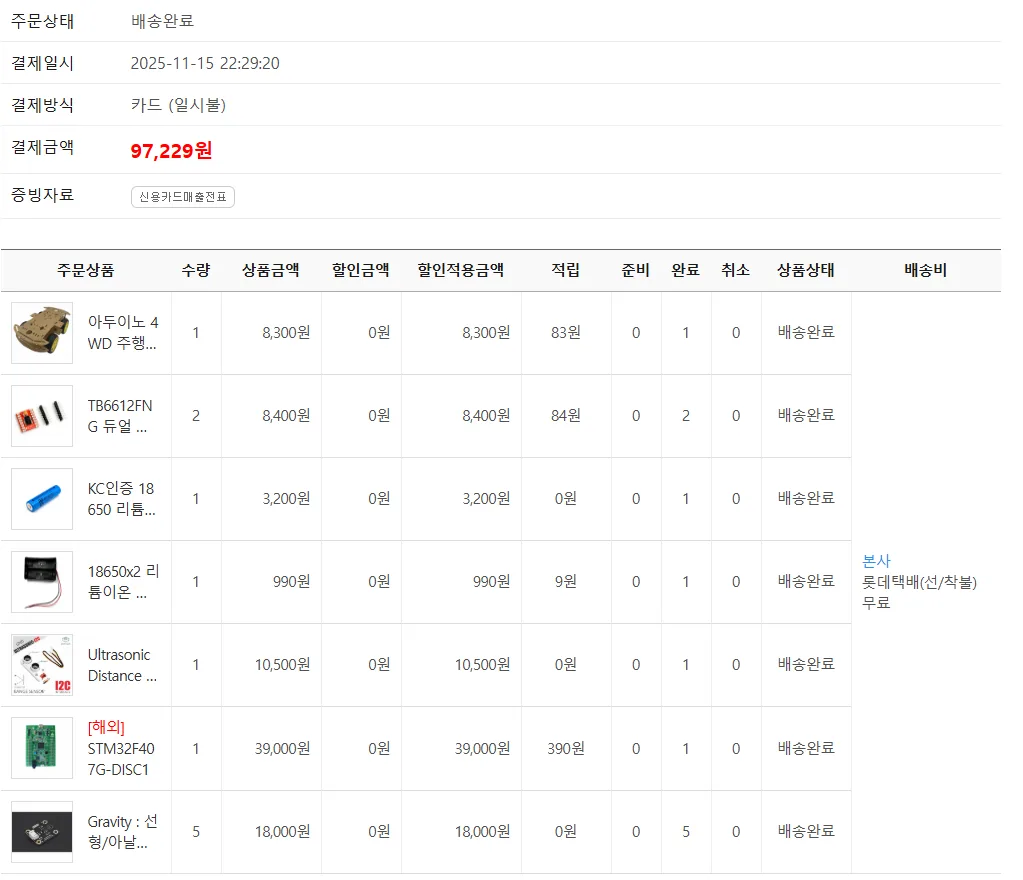
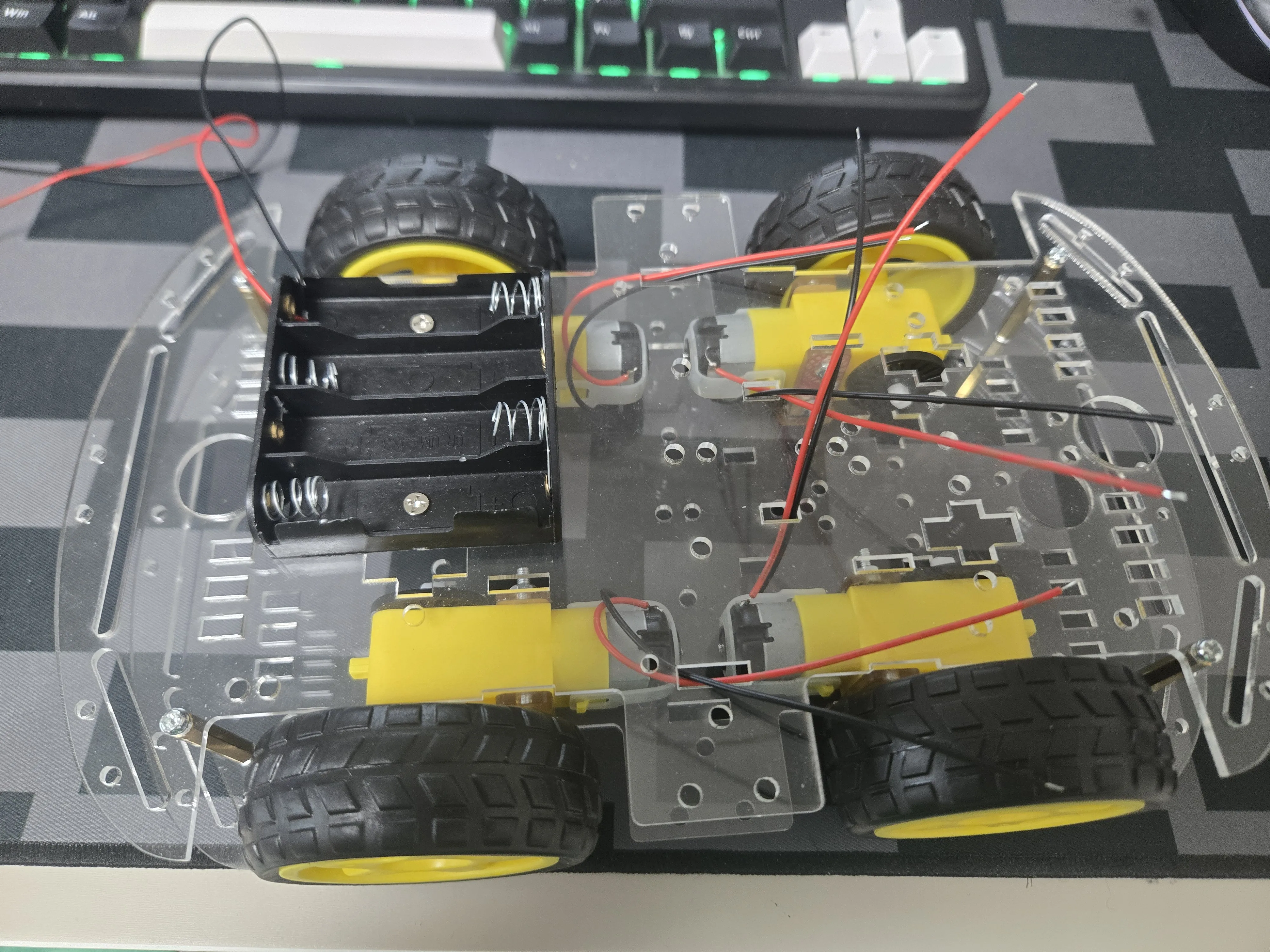
I pulled out the frame I’d ordered a long time ago and left sitting unused.
I soldered at home with a soldering iron and tightened the screws. Since it had been a while since I last held an iron — and it was also my first time soldering at home — I have a slight feeling something might be a cold solder joint. It’s holding for now, so I’ll judge again during the functionality check stage.
2. Looking Back — I Didn’t Log the STM32 Environment Setup
A couple of days ago I set up STM32CubeIDE + CubeMX and got as far as blinking an LED, but I hadn’t built the habit of logging yet, so I didn’t keep a record of it. From now on, I’ll keep a log file open like this while working. That way I can capture my entire development flow without missing anything.
(I’ve written up separately the issue where CubeMX got separated starting from STM32CubeIDE 2.0, in a previous post.)
3. Today’s Blocker — USB-UART Converter
I wanted to test the UART functionality, but I don’t have a USB-UART converter, so it’s on order. It’s arriving tomorrow, not today 😢, so I worked around it with other tasks in the meantime.
4. Raspberry Pi 5 OS Setup
I was also stuck on the battery assembly because I didn’t have insulating tape or heat-shrink tubing, and my multimeter’s battery died too — so I switched direction to setting up the Pi 5.
I started burning the OS with Raspberry Pi Imager. But the advanced options tab wasn’t lighting up.
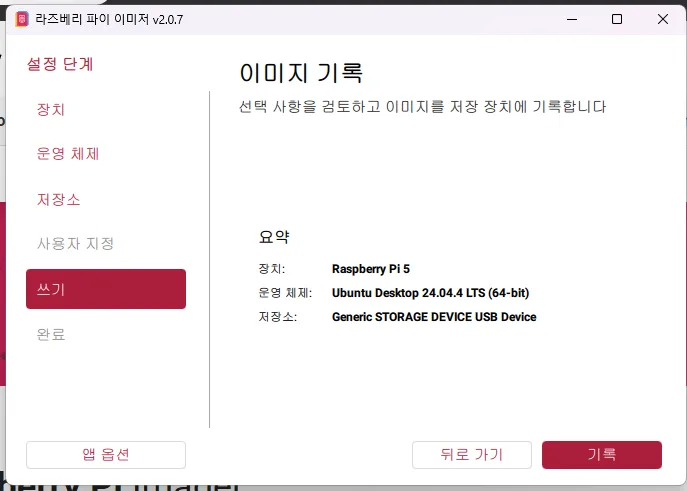
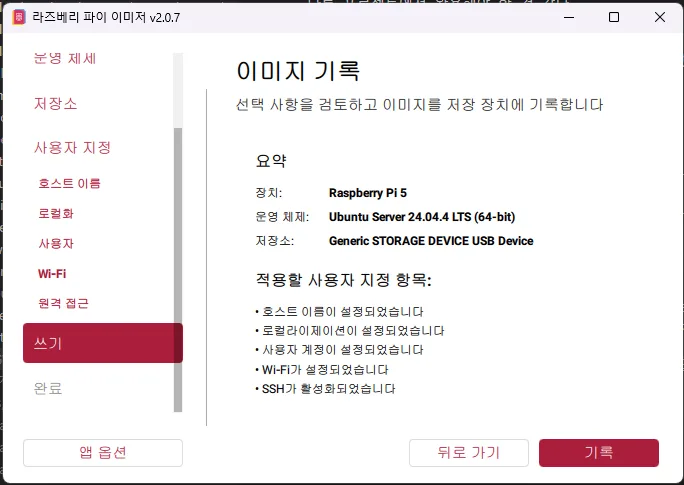
A rookie mistake — I thought I’d selected the server version, but I’d actually selected the desktop version. Some options don’t apply to the desktop image, so the tab itself was disabled.
After double-checking the OS type, I proceeded.
5. First Boot + SSH Connection
Right after connecting power — at first, the green LED didn’t blink at all, it just stayed lit. Something seemed off, so I unplugged the power and tried again. The second time, it blinked normally.
I figured booting was complete once the LED blinking stopped, so I tried to connect via SSH. But I got stuck again.
WiFi network mismatch: I had set the Pi 5’s WiFi to the living room router’s SSID, but my desktop was actually connected to a different router via ethernet cable, so they weren’t on the same network. After aligning both onto the same network, I confirmed the SSH connection worked.
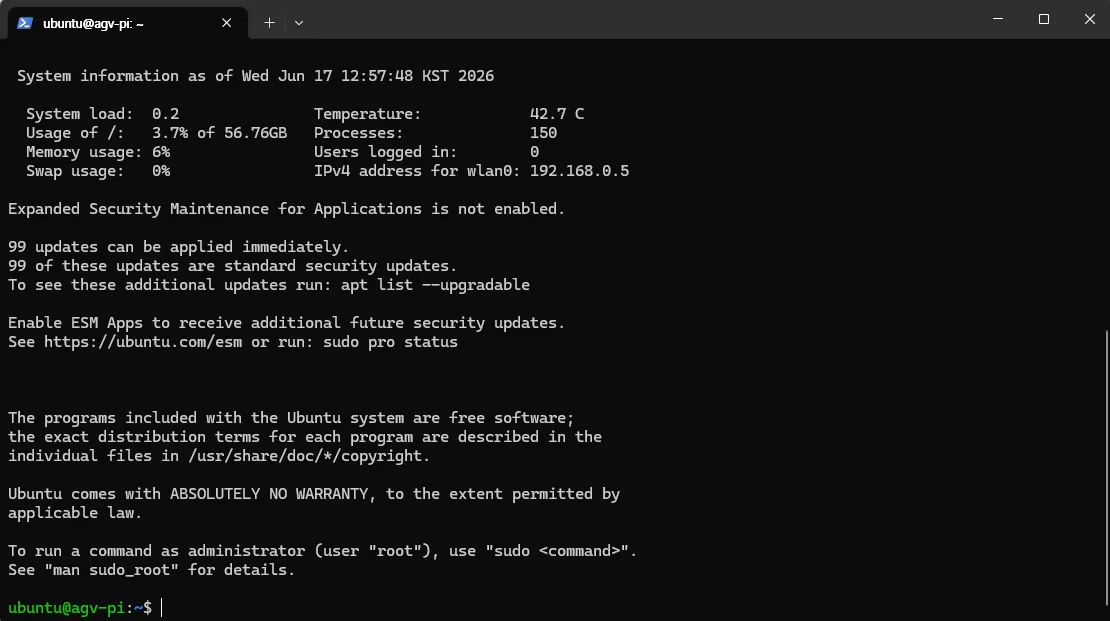
6. Installing ROS2 Jazzy
After updating and upgrading, I rebooted. Then moved on to the actual ROS work.
In order:
- Confirm UTF-8 locale
- Enable the Universe repository
- Add the ROS2 GPG key + repository
- Install
ros-jazzy-desktop
But I got stuck at step 4. The installation failed due to broken dependencies.
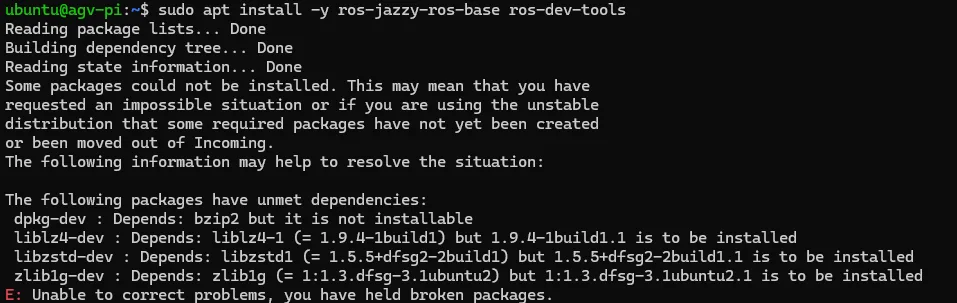
Root cause:
- The
apt updateoutput only listednobleandnoble-security— thenoble-updatesrepository was missing. - As a result, some dev packages couldn’t fetch matching versions, causing the dependency mismatch.
Fix:
- Added the
noble-updatesrepository to sources - Ran
sudo apt update && sudo apt upgradeto apply the missing upgrades - Retried
sudo apt install ros-jazzy-desktop→ success
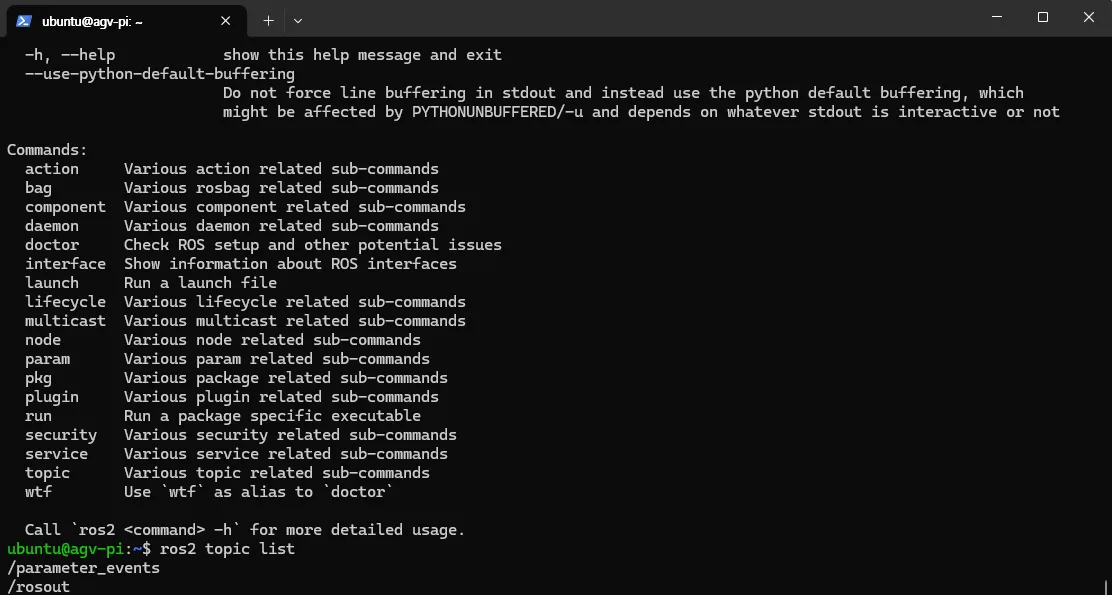
7. ROS2 Workspace Setup
I proceeded with basic workspace setup, including colcon build. I confirmed that the build/, install/, and log/ folders were created correctly.
(Writing actual ROS nodes comes in the next part — for now I just got the environment set up.)
Additional Things I Looked Into
What Is the Universe Repository
One of Ubuntu’s 4 types of software repositories.
| Repository | Nature |
|---|---|
| Main | Free software officially supported and security-maintained by Canonical |
| Universe | Free open-source software maintained by the community |
| Restricted | Proprietary drivers, etc. |
| Multiverse | Software with licensing/legal restrictions |
Why Universe comes up during ROS installation: some packages that ROS depends on live in Universe. The official ROS installation guide explicitly includes a step to enable it.
What Is a GPG Key
An encryption signing key used to verify a package’s origin and integrity.
Its purpose is to verify, during apt install, whether “this package really comes from the official ROS repository.” Without a GPG key (or if the key is broken), apt can’t guarantee safety and refuses the installation.
What I Did Today
- Assembled the AGV frame (soldering + tightening screws)
- Installed Raspberry Pi 5 OS (retried with advanced options included)
- First boot of the Pi 5 + SSH connection (resolved WiFi mismatch)
- Installed ROS2 Jazzy (fixed missing noble-updates)
- Basic ROS2 workspace setup (confirmed
colcon buildworks)
Next Steps (Once the USB-UART Converter Arrives)
- Test UART communication between STM32 and Pi 5 (simple echo or LED toggle command)
- Write the first ROS2 node — learn the publisher/subscriber pattern
- Assemble the battery circuit (once I get insulating tape and heat-shrink tubing)
Things to Study Further
1. Core ROS2 Concepts
- The differences between Node / Topic / Service / Action and when to use each
- DDS (Data Distribution Service) — the underlying communication middleware for ROS2
- rclpy vs rclcpp — comparing Python node writing vs C++ node writing
- Reference: ROS2 official tutorials
2. RS485 Communication
- Difference from UART (electrical signaling method: TTL vs differential)
- The meaning of half-duplex and designing master/slave patterns
- Modbus protocol (commonly layered on top of RS485)
- Circuit design for a UART → RS485 conversion module (e.g., MAX485) on the Pi 5
3. SLAM / Vision — Something to Tackle Again Later
- I put this on hold because the Jetson Nano is too outdated, but I want to look into lightweight SLAM packages (RTAB-Map, Cartographer, etc.) that could work with just the Pi 5 + Pi Camera
- Or using a separate accelerator (Coral USB, Hailo)
4. Operations-Related
- The meaning of the Raspberry Pi’s boot pattern (number of green LED blinks) — there’s a defined standard boot log sequence
- Registering ROS2 workspace auto-sourcing as a systemd service
colcon buildperformance options (--symlink-install,--parallel-workers)
5. Verifying the Cold Solder Joint
How do I verify the cold solder joint I suspected during frame assembly?
- Check continuity with a multimeter (resistance measurement)
- Measure heat generation / voltage drop under load
- Notes on soldering iron temperature / flux use when re-soldering
Retrospective
Since this is my first side project log, I went back and forth on how casual the tone should be, but I landed on this conclusion: leaving the trial and error exactly as it happened is the most valuable thing. There are surely people out there who’ll get stuck on the exact same search terms for something like the ROS2 dependency breakage, and I myself will probably come back to this post as the fastest reference the next time I install ROS on a different board.
The self-driving track that started with the STM32CubeIDE post is now really starting to take shape. The next part starts with UART communication testing.